
Multi-tenant B2B on Keycloak,
without customizing Keycloak
Your customers are organisations. Orgkeep gives each of them its own admins, members and teams, sells them the products of your catalog with features and quotas, and puts it all in the tokens your APIs already read.
Open source, Apache 2.0 · Java 25, Quarkus, Keycloak 26

How it works
Keycloak 26 knows organisations. Orgkeep adds what a B2B company needs around them.
-
1
You create an organisation per customer
One call: the organisation, its email domains, its owner (invited by email), its predefined roles and groups.
-
2
You assign it products from your catalog
What it negotiated: the features it bought, a quota per metered feature, the values of its parameters.
-
3
Its admins run their own teams
They invite their colleagues and share out the products of their organisation, without asking you.
What you get
Delegated org admins
Owners, admins and members per organisation. An org admin manages members and teams of their own organisation, and nothing else.
A catalog of products
Your APIs as products, grouped in catalogs (prod, sandbox...). Each product has features, some of them metered, and a schema of parameters.
Quotas in the token
The quota of the organisation, and of a team if it has its own budget. Orgkeep does not count the usage: your API keeps its counters.
No Keycloak extension
Rights are written on Keycloak groups and come out through its native mappers. Keycloak stays a plain Keycloak you can upgrade.
Lightweight tokens
Tokens too big for your proxies? One switch: tokens of constant size, and your APIs read the rights by introspection.
White label
Nothing in the login pages, URLs or tokens of your customers says Orgkeep. They log in to your product.
A dashboard for the realm owner
Everything the REST API does, without building screens. Click a screenshot to see it full size.
What each organisation negotiated
The products of an organisation, per catalog: the features it bought and its quotas. A simple product has one quota, a metered product one per engine it bought.

Your catalogs and products
One catalog per environment, its products, their features and parameters, and the roles valid for the whole catalog. Each page shows what your APIs will find in the tokens.

Teams, run by the org admins
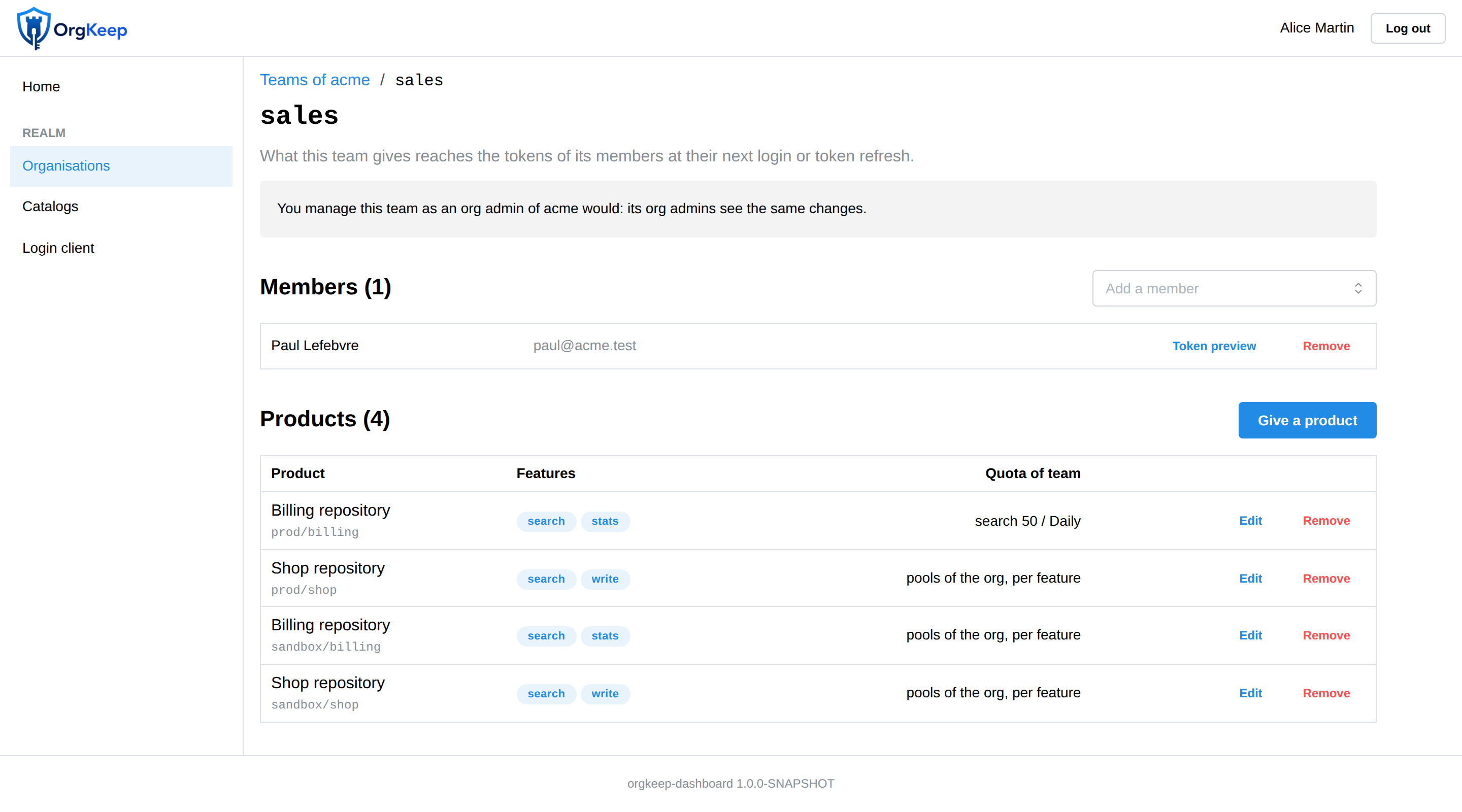
An org admin gives the products of the organisation to a team, with some of the features it bought and optionally a budget of its own. Members get it at their next login.
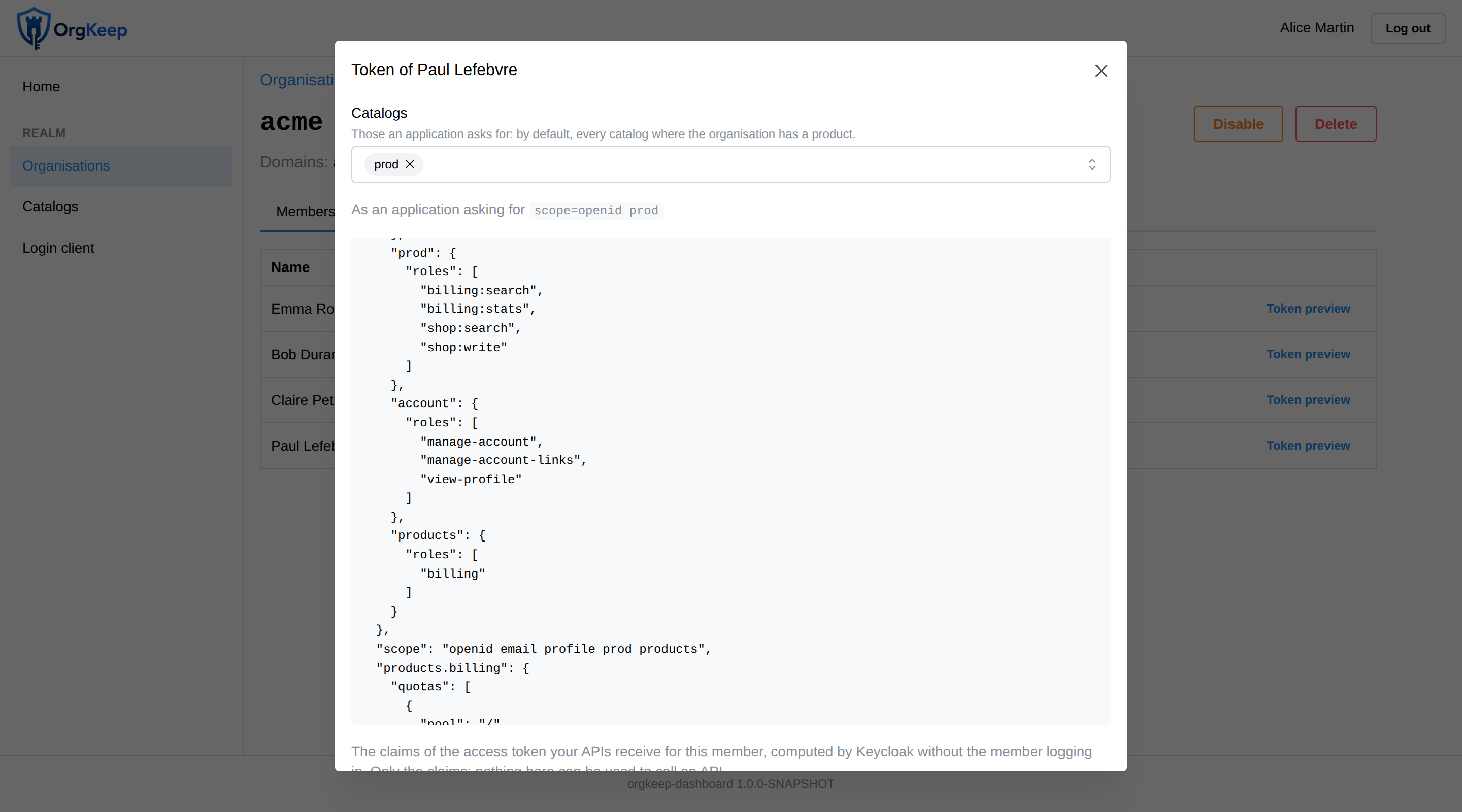
See the token before your users do
The claims a member would get, computed by Keycloak itself, for the catalogs an application asks for. Nothing that could be used to call an API.
Standard tokens your APIs already understand
The roles say what is allowed, in the standard resource_access claim. One flat claim per metered
feature says how much, read with a single getClaim.
Here, Paul of the team sales of acme: search on the billing repository is shared by
the whole organisation (200 a day) and his team has a budget of its own (50 a day).
Example APIs in Spring Boot, Vert.x and a Go gateway show how to read them, with full or lightweight tokens.
"aud": ["prod"],
"resource_access": {
  "prod": {
    "roles": ["billing:stats", "billing:search",
              "shop:write", "shop:search"]
  }
},
"prod.billing.search": {
  "quotas": [
    { "pool": "/",      "limit": 200, "cycle": "daily" },
    { "pool": "/sales", "limit": 50,  "cycle": "daily" }
  ]
},
"prod.shop.search": {
  "quotas": [
    { "pool": "/", "limit": 100, "cycle": "daily" }
  ]
}
Try it in two minutes
The demo runs Keycloak, PostgreSQL, Orgkeep, Mailpit and the example APIs, with demo data. You only need Docker.
git clone https://github.com/orgkeep/orgkeep-examples.git
cd orgkeep-examples/docker-compose
docker compose up -d --build
Then open http://localhost:8284 and log in as realm-owner (password
password) to see the realm owner screens, or as org-owner for the screens of an org
admin. The demo guide lists
every account and walks through the APIs.
Two ways to use it
Core + dashboard
One container, ghcr.io/orgkeep/orgkeep: the REST API and the dashboard. For teams that would rather not build their own admin screens.
Core alone
The REST API only, ghcr.io/orgkeep/orgkeep-core, documented with OpenAPI. Plug Orgkeep into your own back office and tools.
The repositories
orgkeep-core
The REST API: organisations, members, catalogs, products, teams. Everything is stored in Keycloak.
orgkeep-dashboard
The React dashboard, served with the core as a single app.
orgkeep-theme
A Keycloak theme: login, emails, account console. An example to brand your own.
orgkeep-examples
The demo stack, and example APIs protected by Orgkeep.